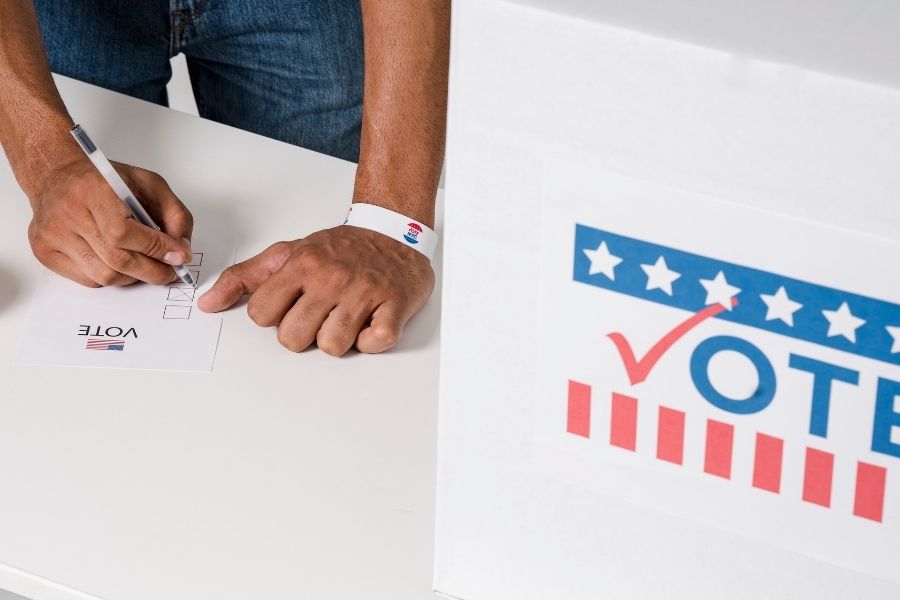
With many states changing their voter laws, people can’t take for granted that the next election will follow the same rules as previous elections.

You may want to create a Voter Guide to help supporters navigate the increasingly-complex rules for casting a ballot.

The sample copy includes:

  • Ways to vote
  • Deadlines
  • Voter ID guidelines
  • What to expect at the polls

The voter guide copy below should only be used as a template. You must edit the copy with the proper information for your state or area. Not only should you add voting information to your website, but you can create a downloadable voter guide as a PDF, a document or other easily shareable format.

Below the copy is a Canva Template with the voter guide copy added into it. Instructions are provided on how use this template within your own Canva account.


Voter Guide Text – Raw Copy

Voter Guide

Voting information for [LOCATION].

Ways to vote

At the polls on Election Day
Polls are open on Election Day,
[DATE, TIME a.m. – TIME p.m.]

Look up your polling place
• Online at [website.com]
• By calling the [State Department of Elections] at [555-555-5555]

In person before Election Day

You may qualify to vote early at the voter registration office. Learn more at [WEBSITE.COM]. Early voting period: [START DATE] – [END DATE].

By mail as an absentee voter

Request an absentee ballot by [TIME] p.m. on [DATE] at [WEBSITE.COM]. Return it by mail, deliver it to the voter registration office, or drop it at your polling place on Election Day.

Deadlines

[VOTER REGISTRATION DATE]
Register to vote, or update your address.
If you move, your polling place will change. Be sure to update your voter registration address every time you move.

[ABSENTEE REQUEST DATE] by [TIME]
Request that an absentee ballot be mailed to you.

[ABSENTEE BALLOT DUE DATE] by [TIME] p.m.
Vote an absentee ballot in person at your local voter registration office.

[ELECTION DAY DATE]
Election Day – polls open [START TIME] a.m. to [END TIME] p.m.

Find out more at [website.com] or [(555) 555-5555].

Voter ID guidelines

You need to show your photo ID whenever you vote in person.

If you get to the polling place without photo ID, you will have to vote on a provisional ballot.

Acceptable forms of identification [MODIFY LIST BELOW TO YOUR NEEDS]

  • State driver’s license
  • State DMV-issued photo ID
  • United States passport
  • Employer-issued photo ID
  • State Voter Photo ID card
  • Other U.S. or State government-issued photo ID
  • Student photo ID issued by a school, college, or university located in State
  • Tribal enrollment or other tribal photo ID

If you don’t have one of these, you can get a free Voter Photo ID at any State voter registration office, including on Election Day!

What to expect at the polls

When you arrive, election [officers/workers] will be there to help you.

Check in
Say or write your name and address. Show your acceptable photo ID.

Get your ballot

Check your ballot
Does it include all contests for your district?

Go the the voting booth and vote your ballot

If you are not on the voter list, or if you didn’t bring a photo ID, an election officer will direct you to vote provisionally.

Accessible voting

Before Election Day
Voters with a disability or illness can vote with an absentee ballot by mail or in person before Election Day. Go to [WEBSITE] to learn more and request your absentee ballot.

On Election Day
There are accessible voting systems at each polling place.

If you are 65 or older, or if you have a physical disability, you can vote from your vehicle at the polling place on Election Day. Remember to bring a helper with you who can go in to request your curbside assistance.

Get help reading or writing from an election officer or your own helper.

Canva Voting Guide Template

Create an account with Canva. The free version is enough for most solo users. However, there are many feature advantages with the Pro account

Click on the graphic below to open the templates. You should be brought to a page for each template that looks something like this:

The page displays a template preview along with a button that says “Use Template“. Simply click that button to start editing the template. You can also make a copy so that you can keep an “original” template your Canva account.

From there, you can edit any or all design elements, including color, photos add your logo and make it your own. You can download your customized items as a jpg, png or PDF for print and mailer purposes.


Online Candidate Resources